Notion
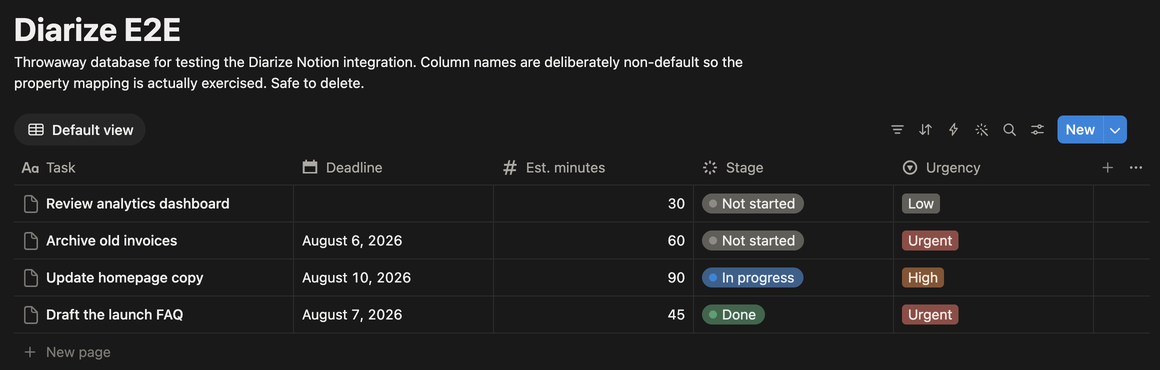
Your database and your columns. You tell Diarized once which column means what, and Diarized reads those columns from then on.
What Diarized reads
- How long it takes
- The number column that you map as the estimate, read as minutes. If you map no column, or the column is empty, the task books 30 minutes.
- How urgent it is
- The select column or status column that you map as priority. Diarized knows Urgent, High, Medium, Low and the usual variants.
- When it is due
- The date column that you map. This column is optional. Without it, Diarized orders tasks by priority alone.
- How to mark it done
- Diarized writes your database's own “finished” value into the status column that you map. Diarized reads that word from the schema and does not guess it.
What gets scheduled
Every row of the database you chose whose status is not the finished value. Notion has no webhooks for database rows, so your changes arrive at the next poll.
Worth doing
- Share the database with the Diarized integration when you connect. Diarized cannot see an unshared database, and the account looks empty.
- If a setup dropdown has no candidates, the database has no column of the right type. Add one in Notion, then open setup again.
The one thing to know
A Notion database is whatever its owner made, so nothing works until you map the columns. A connection alone reads nothing. This is a property of Notion's model, and it is why the mapping page exists.
← All guides · Connect Notion · Everything Diarized supports