TickTick
A strong free task app with real priorities. Two properties of TickTick are important to know before your first sync.
What Diarized reads
- How long it takes
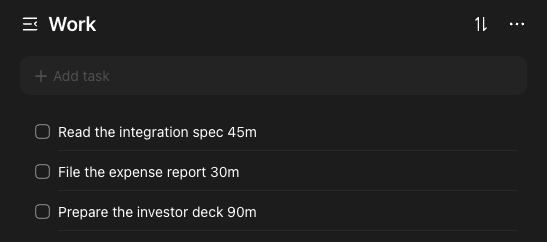
- Tag the task 45m, or 15m, 30m, 1hr, 90m or 2hr. You can also write the length in the title: “Draft the deck 90m”. TickTick's API does not let us make the tags, so make them once yourself.
- How urgent it is
- TickTick's own priority flags, from high to none.
- When it is due
- TickTick's due date, read in your own time zone. An evening deadline east of UTC stays on the correct day.
- How to mark it done
- Tick the task in TickTick, or use the “Mark done” link in the block.
What gets scheduled
Every open task in the lists you chose. The Inbox is not a list. Read the limit below.
Worth doing
- Make a “Scheduled” list. Keep your work in that list and not in the Inbox.
- TickTick's own start times and end times are a paid feature. The tag convention works on every plan.
The one thing to know
TickTick's API cannot read the Inbox, for anyone. Diarized cannot see a task that stays in this default place. An account that works from the Inbox syncs cleanly and schedules nothing. Move the tasks into any list and they appear.
← All guides · Connect TickTick · Everything Diarized supports